Desi Jarvis: Controlling Robots with Voice from Anywhere using MCP
This post was written with assistance from Claude, an AI by Anthropic.
A video is worth a million words. Here’s Desi Jarvis in action before we get into the details:
What if you could talk to your robots and they’d just listen? Not a scripted voice command system, but an actual AI assistant that understands context, speaks back to you, and controls a fleet of robots anywhere in the world. And yes, it works in Hindi and Hinglish too.
That’s what I built with yakrover-8004-mcp and yakrover-talk-mcp - a Desi Jarvis of sorts - and it’s been one of the most fun things I’ve worked on.
From Cryptobot to MCP
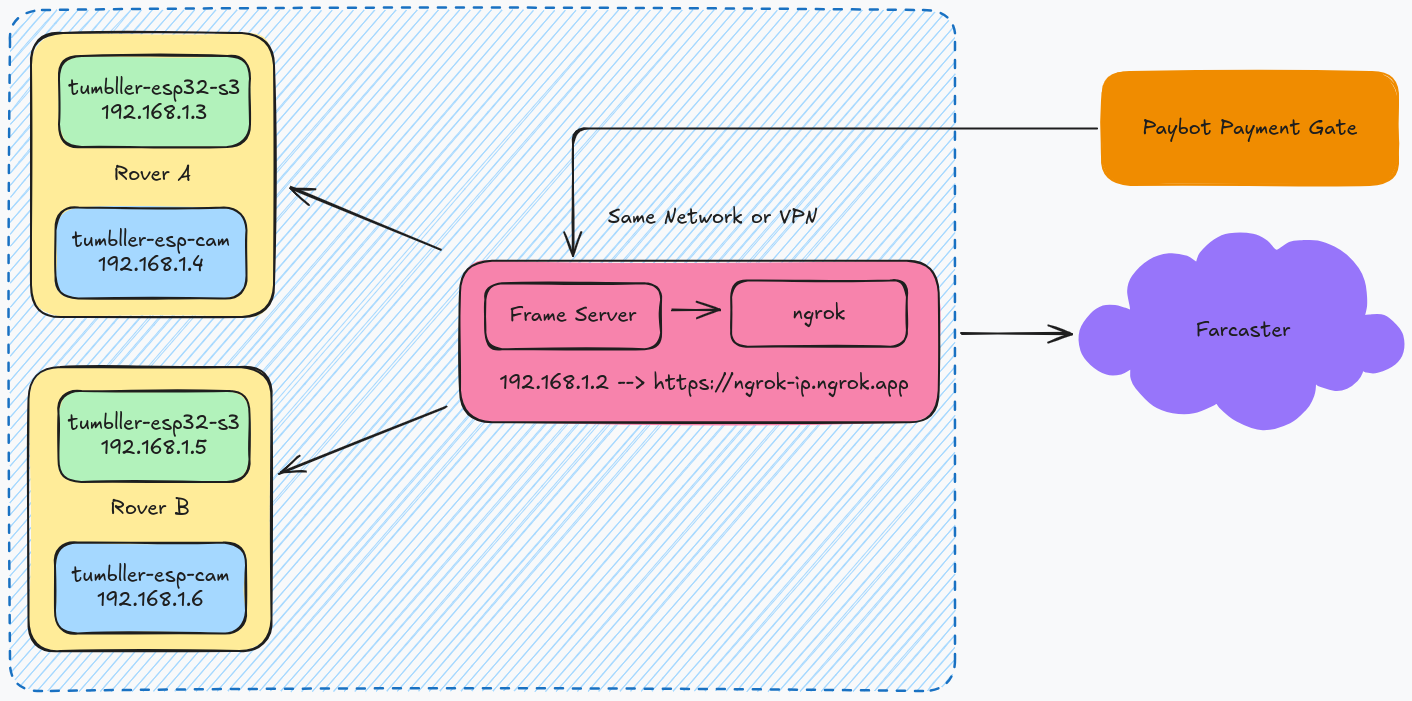
Our earlier Tumbller Cryptobot experiment explored the intersection of crypto and robotics - enabling payments and robot control via Farcaster frames. That was fun, but the control interface was tightly coupled to Farcaster and needed a centralized frame server sitting between the user and the robot.
yakrover-8004-mcp takes a completely different approach. Instead of a centralized server mediating control, each robot registers itself on the ERC-8004 on-chain registry and exposes its capabilities as an MCP server. Any MCP client - Claude Code, Claude Desktop, or anything that speaks the protocol - can discover the robot on-chain and connect to it directly. No central server, no custom UI, no app to install.
It’s also a modular framework with a plugin architecture. Each robot is a plugin with three files (~100 lines of code), and the framework handles everything else - MCP server setup, ngrok tunneling, on-chain registration, fleet discovery.
How It Works
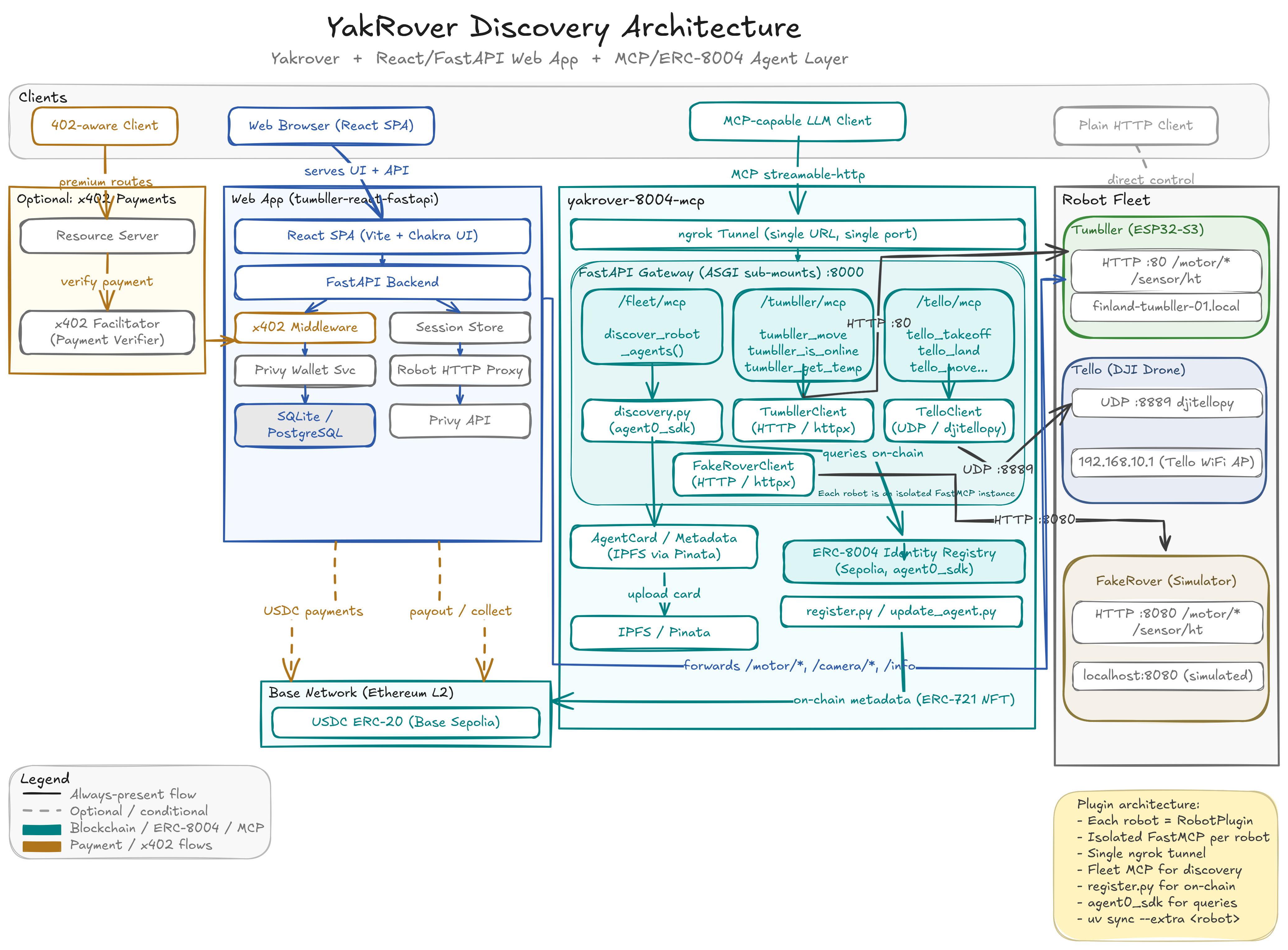
The architecture uses FastAPI with ASGI sub-mounting. One port, one ngrok tunnel, multiple isolated robot servers:
LLM / Voice Agent
    |
Single ngrok tunnel
    |
FastAPI Gateway (port 8000)
    |--- /fleet/mcp       -> Fleet Orchestrator (discovery + lifecycle)
    |--- /tumbller/mcp    -> Tumbller self-balancing robot
    |--- /tello/mcp       -> Tello drone
    |--- /fakerover/mcp   -> Software simulator (no hardware needed)
Each robot gets its own FastMCP server instance, completely isolated. The Tumbller talks HTTP to an ESP32-S3, the Tello speaks UDP via djitellopy, and the FakeRover is a pure software simulator I use for development when I don’t have the physical robots around.
Adding a new robot? Just drop three files in src/robots/myrobot/:
# __init__.py - Metadata + plugin registration
class MyRobotPlugin(RobotPlugin):
    def metadata(self) -> RobotMetadata:
        return RobotMetadata(
            name="My Robot",
            robot_type="differential_drive",
            fleet_provider="yakrover",
            ...
        )

# client.py - Communication protocol (HTTP, UDP, serial, whatever)
# tools.py - MCP tool definitions
No framework changes needed. The plugin auto-discovery picks it up.
I explain the full architecture in these two videos from our YakRover weekly meetings:
On-Chain Discovery with ERC-8004
Here’s where it gets interesting. Every robot in the fleet is registered on Ethereum Sepolia as an ERC-8004 agent. The metadata - robot name, type, MCP endpoint, available tools - gets stored on-chain and on IPFS via Pinata.
This means anyone, anywhere, can discover what robots are available:
# Find all robots in the yakrover fleet
uv run python scripts/discover.py --provider yakrover

# Auto-add discovered robots to Claude Code config
uv run python scripts/discover.py --add-mcp --scope global
The discovery itself is exposed as an MCP tool. So an LLM can call discover_robot_agents() at runtime, find robots on-chain, connect to their MCP endpoints, and start controlling them. No hardcoded URLs, no manual configuration.
The full chain: LLM -> Ethereum Sepolia -> IPFS -> ngrok tunnel -> FastAPI gateway -> Robot hardware
Enter the Desi Jarvis
The robot control side was working well. But I wanted something more natural - I wanted to talk to my robots. Not type commands, but actually speak to them. And I wanted my AI assistant to talk back.
That’s yakrover-talk-mcp - a voice-output MCP server that turns Claude into a speaking assistant. It uses ElevenLabs for text-to-speech and PipeWire for audio routing. PipeWire is the key here - it lets you route audio to any sink on your system. Local speakers, Bluetooth headphones, or a HomePod in the other room via AirPlay/RAOP. I have a helper script that manages audio sinks, so I can switch where Jarvis speaks from without touching any code. Walk into the living room, switch the sink to the HomePod, and now your robot status updates follow you around the house.
The setup uses MCP’s composability beautifully. Claude Code connects to both servers simultaneously:
- yakrover-8004-mcp for robot control (move, takeoff, land, get sensor data)
- yakrover-talk-mcp for voice output (speak, play templates, switch voices)
So when I say “Tello ko udao aur Tumbller ko aage bhejo” (take off the Tello and move the Tumbller forward), Claude understands the intent, calls the right MCP tools on the right robots, and speaks back confirming what it did.
The Language Routing
One design decision I’m happy with is how language routing works. The server has clear rules baked into the tool docstrings (which Claude reads as instructions):
- English responses ->
speak()via ElevenLabs TTS - Hinglish/Hindi responses -> Text only, no TTS (ElevenLabs doesn’t handle Hindi well yet)
- Dramatic moments -> Pre-recorded Bollywood templates via
play_template()
Yes, I have pre-recorded Gabbar Singh and Sholay audio clips as response templates. When something dramatic happens - like a drone flip or a robot going offline - Claude can play the appropriate filmy response instead of synthesizing it. Because what’s the point of a Desi Jarvis without a little Bollywood drama?
Controlling Robots from Anywhere
The combination of ngrok tunneling, on-chain discovery, and MCP gives you true remote control from anywhere in the world. Here’s what a typical session looks like:
- I start the gateway on my machine in Finland where the robots are physically connected
- The ngrok tunnel makes the MCP endpoints publicly accessible
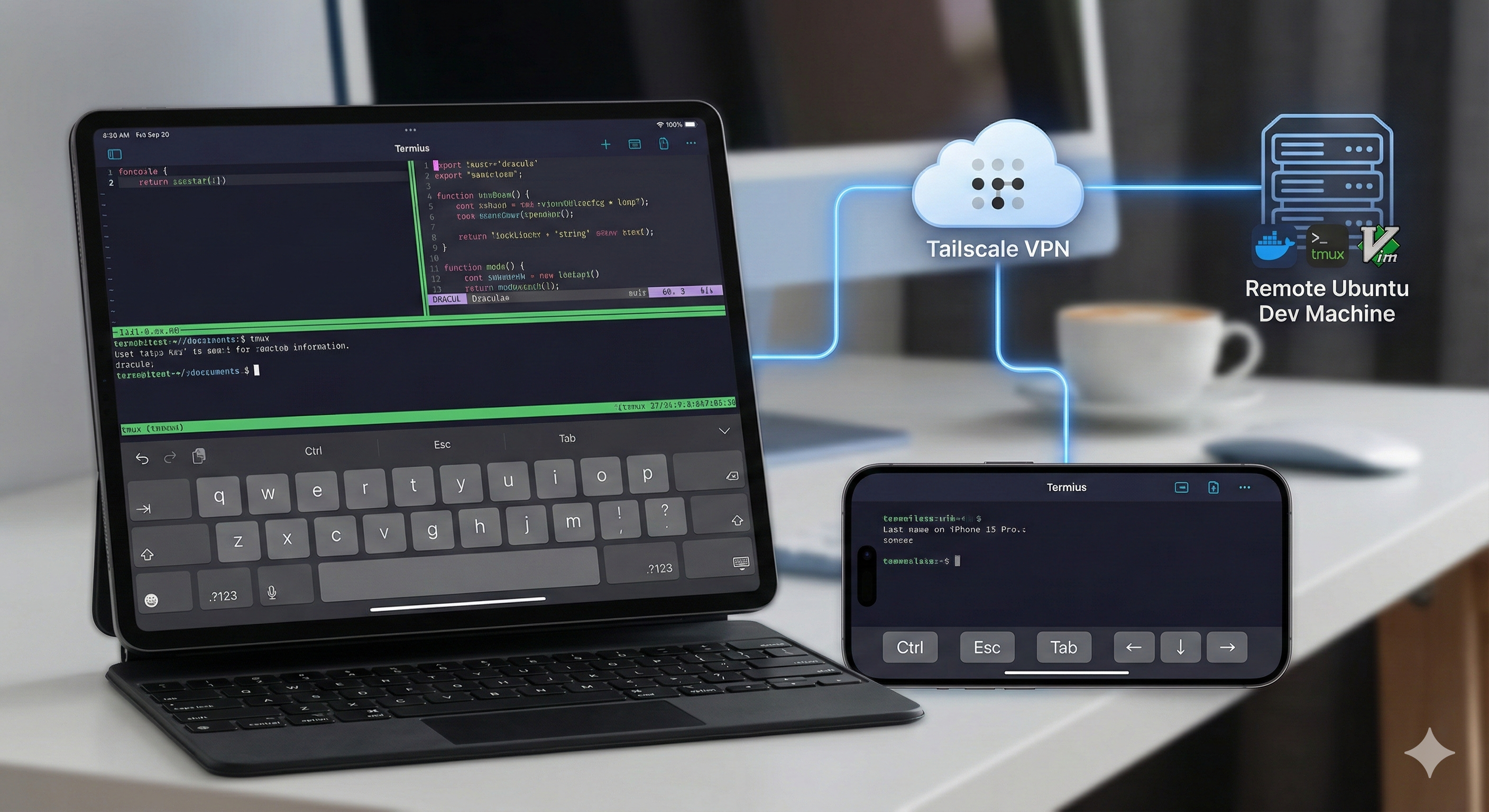
- From my iPad at a coffee shop in Helsinki, I connect to Claude Code via Termius + Tailscale
- Claude discovers the robots on-chain and connects to their MCP servers
- I talk, Claude listens, robots move, Claude talks back
The FakeRover simulator is useful here too. When I’m away from the physical robots, I can still develop and test the full voice -> LLM -> MCP -> robot pipeline with simulated hardware. The simulator mimics the Tumbller’s HTTP endpoints exactly, including auto-stop behavior and drifting sensor readings.
What’s Next
The plugin system doesn’t care what’s on the other end of the wire. A “robot” in the framework is really just anything with an API - any cyber-physical or IoT system works. A smart thermostat, a CNC machine, a greenhouse controller, a factory floor sensor array. If it exposes an interface, you can wrap it in a plugin and bring it into the fleet. Register it on-chain, and now anyone with an MCP client can discover and interact with it.
I’m currently working on adding a 3D printer as the next plugin. The idea is the same - expose the printer’s capabilities (start print, monitor progress, adjust temperatures) as MCP tools so Claude can manage print jobs conversationally. “Print the gear file I uploaded yesterday at 0.2mm layer height” is a lot nicer than navigating OctoPrint.
Beyond that, there’s more I want to do:
- Speech-to-text MCP server - Right now I use Wispr Flow or Voquill for voice input. I want a proper STT MCP server so the entire voice pipeline lives within MCP
- Better Hindi/Hinglish TTS - Waiting for TTS models that handle code-mixed Indian languages well
- Video streaming - Adding camera feeds as MCP resources so the LLM can see what the robots see
- Multi-user sessions - Collaborative robot control sounds fun
The whole point of this project is to make interacting with physical systems as natural as talking to a friend. No special apps, no custom UIs, just conversation. MCP makes this possible by giving LLMs a standardized way to discover and interact with the physical world.
Try It Yourself
Both repos are on GitHub: yakrover-8004-mcp and yakrover-talk-mcp.
If you want to try it, you can start with just the FakeRover simulator - no hardware needed. Start the simulator and the MCP gateway:
# Terminal 1 — Start the simulator
PYTHONPATH=src uv run python -m robots.fakerover.simulator

# Terminal 2 — Start the MCP gateway
PYTHONPATH=src uv run python scripts/serve.py --robots fakerover
Then add the MCP server to Claude Code with a single command:
claude mcp add --transport http fakerover http://localhost:8000/fakerover/mcp
That’s it. Now you can ask Claude to move the rover, read its temperature, or check if it’s online. When you’re ready for real hardware, swap fakerover for tumbller or tello and point it at your robot.
For robots running remotely (say, in another country), the discovery script can find them on-chain and add them to your Claude config automatically:
# Discover all yakrover fleet robots and add them to Claude Code
uv run python scripts/discover.py --add-mcp --scope global
This reads the MCP endpoints from Ethereum Sepolia, and writes them into your ~/.claude.json as HTTP MCP servers - ready to use from anywhere.